
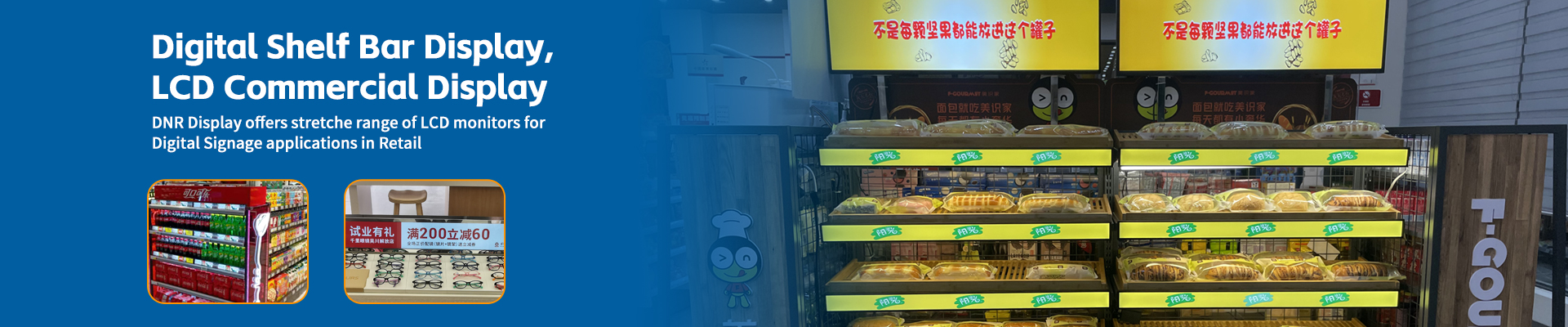
You have decided to upgrade your retail store with shelf edge LCD displays. Smart move. These sleek screens can transform product presentation, enable dynamic pricing, and capture customer attention like never before. But here is the uncomfortable truth: not all shelf displays are created equal, and buying the wrong ones can turn your investment into an expensive headache.
Having helped numerous retailers navigate this purchase, I have seen too many learn expensive lessons after the fact. So let me share the five most critical parameters you need to evaluate before signing that purchase order. Consider this your shield against costly mistakes.
1. Brightness: Can You Actually See It?
This seems obvious, but you would be surprised how many buyers overlook it until the screens are installed. Brightness is measured in nits (candelas per square meter), and the number you need depends entirely on where your displays will live.
Indoor environments with standard lighting: 300-500 nits is typically sufficient. The screen will be clearly visible without washing out.
Areas near windows or with bright overhead lighting: You need 700-1000 nits minimum. Anything less will look dim and unimpressive.
Semi-outdoor spaces or very bright retail environments: 1500-2500 nits becomes necessary. Think grocery stores with those massive skylights or entrance areas near doors.
The trap many fall into is judging brightness from demo videos or showroom floors. Those environments are carefully controlled. Ask for the actual nits specification in writing, and if possible, request a sample unit to test in your actual store lighting conditions. Your customers will not be shopping in a dark warehouse, so do not test there.
One more thing: some manufacturers advertise peak brightness numbers that the screen can only sustain briefly before dimming to prevent overheating. Ask about sustained brightness, not just peak brightness. The number that matters is what the screen can maintain during continuous operation.
2. Viewing Angle: Are You Showing Content or Just Glare?
Imagine this: a customer walks down your aisle. They glance at your shiny new shelf display. But instead of seeing your promotional message, they see their own reflection or a washed-out image because they are not standing directly in front of the screen.
Viewing angle determines how far off-center someone can stand while still seeing a clear, color-accurate image. This parameter is measured horizontally and vertically, typically expressed as 170 degrees or 178 degrees.
The difference matters enormously. A 170-degree viewing angle might sound impressive, but that last few degrees often represent the difference between acceptable and excellent. For shelf displays, where customers approach from various angles, 178 degrees horizontal and vertical should be your minimum standard.
The technology behind this matters too. IPS panels generally offer superior viewing angles compared to TN panels. If your supplier cannot tell you what panel technology they use, that is a red flag. If they quote viewing angles without specifying whether those numbers represent acceptable color or just visible image, ask more questions.
Test this yourself if you can. Look at the display from the side, from above, from below. Does the image shift colors? Does contrast drop dramatically? In a retail environment, customers will not stand perfectly centered in front of your screens. They will glance while walking past. Make sure they see what you want them to see.

3. Response Time and Refresh Rate: No One Likes Motion Blur
Static product images represent one use case. But many retailers want to show videos, animations, or rotating promotions. For these applications, response time and refresh rate become critical.
Response time measures how quickly a pixel can change from one color to another. Slow response times result in motion blur—those ghostly trails that follow moving objects on screen. For shelf displays showing video content, look for response times of 8 milliseconds or less. Anything above 12 milliseconds will produce visible blur that cheapens the appearance of your content.
Refresh rate determines how many times per second the screen updates its image, measured in Hertz (Hz). Standard displays operate at 60Hz, which is fine for most retail applications. However, if you plan to display smooth video content, particularly fast-moving product demonstrations, consider 120Hz displays. The difference in perceived quality is noticeable.
Here is a practical test: ask to see a video with horizontal movement—text scrolling sideways or objects panning across the screen. Watch for trailing, stuttering, or jerky motion. If you see it during the demo, imagine how much worse it might look after compression and other real-world factors affect your content.
4. Panel Lifespan and Reliability: The Hidden Cost Calculation
The sticker price is just the beginning. What really matters is total cost of ownership, and that depends heavily on how long your displays last and how often they fail.
Panel lifespan is typically quoted as the time until brightness drops to 50 percent of original output. Common numbers range from 30,000 to 100,000 hours. That sounds like a huge range, and it is. At 30,000 hours running 12 hours per day, you are looking at about 7 years before significant degradation. At 50,000 hours, you get closer to 12 years.
But here is what many specifications do not tell you: how many of those hours are under what conditions? Continuous operation at maximum brightness generates more heat and stresses components more than moderate brightness levels. Ask the manufacturer whether their quoted lifespan assumes typical or maximum usage conditions.
Also investigate the failure rate. What percentage of units experience problems in the first year? Two years? Five years? Reputable manufacturers track this data and can provide meaningful answers. If a supplier cannot or will not share failure statistics, assume the worst and adjust your budget accordingly for replacements.
Consider too the warranty terms. A three-year warranty sounds good, but read the fine print. Does it cover on-site replacement, or do you need to ship units back? Is the warranty provider the actual manufacturer or a third-party insurer? When a screen fails in your store, you want fast resolution, not weeks of downtime while units travel back and forth.
5. Connectivity and Content Management: How Will You Actually Use This Thing?
The most beautiful display in the world is useless if you cannot easily update its content. This is where many buyers focus on hardware specs while neglecting the software and connectivity infrastructure that determines day-to-day usability.
Wired versus wireless: WiFi-enabled displays offer installation flexibility but depend on your store network reliability. Ethernet connections are more stable but require running cables. For large installations, many retailers prefer a hybrid approach—Ethernet backhaul to a central controller, then wireless connections to individual displays.
Content management system: This is critically important and often under-evaluated. Ask these questions: How do you upload new content? Can you schedule different content for different times of day? Can you update multiple displays simultaneously? Is there an API for integration with your existing inventory or pricing systems? Can you preview content before pushing it live?
Request a demo of the content management interface. If it looks clunky or confusing during a guided tour, imagine how your staff will feel using it under pressure. The best systems feel intuitive, almost invisible—you focus on your content, not on wrestling with the interface.
Update frequency and method: How does the display receive updates? Does it pull content from a cloud server, or must you push updates manually? What happens if internet connectivity fails—does the display continue showing cached content, or does it go blank? These edge cases may seem minor until they happen during a busy shopping period.
Integration capabilities: If you plan to connect your displays to point-of-sale systems, inventory databases, or dynamic pricing algorithms, verify compatibility early. Proprietary systems that lock you into a single vendor’s content platform can become expensive constraints as your needs evolve.
Bonus Consideration: Physical Design and Installation
While not a technical parameter per se, the physical design of your shelf displays will significantly impact your daily operations. Consider:
Mounting flexibility: Can the display attach to your existing shelving, or will you need to replace fixtures? What about cable management—will exposed wires create safety hazards or look unprofessional?
Screen size versus shelf width: Displays that are too wide waste money and may not fit your aisles. Displays that are too narrow look unimpressive and waste valuable promotional real estate.
Bezel thickness: Thick bezels distract from content and look dated. Thin or bezel-less designs create a more premium appearance.
Durability: Retail environments are tough. Displays get bumped by shopping carts, splashed by liquids, and touched by countless hands. Ask about impact resistance, water resistance ratings, and how easy it is to clean the screen surface without damaging it.
Putting It All Together
Purchasing shelf displays is not just about finding the cheapest option or the flashiest demo. It is about understanding your specific retail environment, your content strategy, and your long-term operational needs.
Before you buy, create a checklist based on these five parameters:
- Brightness appropriate for your lighting conditions (sustained, not just peak)
- Viewing angles of 178 degrees minimum for shelf-level applications
- Response time under 8ms and refresh rate suitable for your content plans
- Panel lifespan and failure rate data that supports your budget horizon
- Content management system that your team can actually use efficiently
Request sample units for testing in your actual store environment. Any reputable supplier should accommodate this for a serious buyer. Test during different lighting conditions—morning sun, afternoon artificial light, evening ambiance. Watch video content, not just static images. Try the content management system yourself.
The few hours you invest in proper evaluation will save you thousands in replacements, repairs, and frustrated staff. Your shelf displays are an investment in your store’s future. Make sure that investment pays off.


